Showing posts with label Troubleshooting. Show all posts

How to Remove Bios Password for Acer Laptops


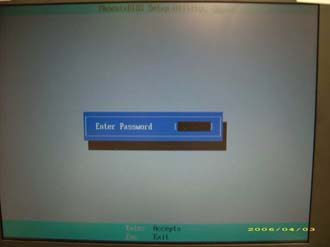
If you key in the wrong Supervisor password three times, an error code is generated and system is disabled like in the image below.

To unlock the BIOS, perform the following steps:
   1. On a different machine, run the BIOS_PW.EXE file along with the error code generated. For example:
        bios_pw 14452 0
   2. Four ASCII strings are generated as output. Select and note down any one of the strings.

   3. Reboot the machine with the locked BIOS and then use either any of the strings as the BIOS user
       password.
Canon LiDE 35 Installation Fix for Win7 64bit

If you have hard time installing Canon LiDE 35 Scanner to windows 7 64bit version try this solution from bullsworld.net
  1. Open Device Manager locate the scanner device (it probably has a yellow exclamation mark next to it).
  2. Select Properties then update driver.
  3. Choose Browse my computer for driver software then Let me pick from a list of device drivers on my computer.
  4. Look for Canon Inc. in the manufacturer list, then select CanoScan LiDE 60.
  5. Click next and ignore any warnings about the driver not matching your hardware, that’s it all done your scanner should now work.
Note: You may need to run ScanGear CS before the drivers will show up, get it from Canon’s US site ScanGear CS 64bit
 

PC Mediks Copyright © 2009 BeMagazine Blogger Template is Designed by Blogger Template